Zoom Background Setups for Professional Virtual Meetings

In today’s world, virtual meetings have become an essential part of professional communication. As businesses and organizations continue to adapt to remote work, the need for creating a professional and polished environment for online meetings is more important than ever. One of the easiest ways to ensure you make a positive impression during virtual meetings is by using the right Zoom background setups. Whether you’re working from home or remotely, the right background can enhance your credibility, minimize distractions, and set the tone for your professional interactions. In this article, we’ll explore how to create the perfect Zoom background, why it matters, and the best practices for setting up a clean and impressive virtual environment.
Why Zoom Background Setups Matter
When participating in virtual meetings, your Zoom background plays a crucial role in how others perceive you. A professional, tidy, and appropriate background can make you seem more focused and prepared, while a cluttered or distracting backdrop can have the opposite effect. The right background setup conveys your professionalism and attention to detail, setting the stage for effective communication.
A well-chosen Zoom background helps to create an environment where the focus is on the content of the conversation rather than the distractions around you. It also communicates respect for your colleagues and clients by showing that you’re committed to providing a conducive space for productive discussions.
Moreover, using a customized or virtual background can also help preserve privacy. If you’re working from home and there are personal items or family members in the background, a virtual background can prevent unintentional distractions or exposure of sensitive areas of your home.
Best Practices for Creating a Professional Zoom Background Setup
1. Choose a Clean, Neutral Background
One of the simplest and most effective Zoom background setups is choosing a clean, neutral background that doesn’t overpower or distract from the conversation. For example, a plain white, gray, or soft-colored wall can be an excellent option, as it allows the focus to remain on you. Minimalistic backgrounds with soft colors create a calming effect and lend a professional appearance.
Additionally, ensure that the area behind you is tidy. If you choose to use your real environment instead of a virtual background, make sure there is no clutter, such as piles of papers, laundry, or personal items. This simple step helps ensure you appear organized and puts your best foot forward during your meeting.
2. Use a Virtual Background When Necessary
If you don’t have a suitable space in your home or office for a professional backdrop, consider using a virtual Zoom background. Zoom offers a variety of preloaded backgrounds, ranging from office settings to scenic landscapes, and there are many other options available for download. Virtual backgrounds can instantly transform your setting, making it look like you’re in a polished conference room or a sleek office space.
However, if you choose a virtual background, it’s important to pick one that aligns with your profession or industry. For example, if you work in finance or law, a clean, modern office background will convey professionalism. If you work in creative fields like design or media, you might opt for a more stylish or artistic virtual background.
While virtual backgrounds are convenient, make sure that they are well-lit and sharp to avoid looking unprofessional. A poorly rendered background that is pixelated or fuzzy can detract from the quality of your meeting, so it’s important to test and adjust your virtual background in advance.
3. Lighting and Framing Are Key
Proper lighting and framing can enhance your Zoom background setup, whether you’re using a real or virtual backdrop. The key is to ensure that your face is well-lit and clearly visible during the meeting. Use natural light whenever possible, but if you’re meeting at night or in a darker space, consider using a ring light or a desk lamp positioned behind your camera. Proper lighting helps prevent shadows and makes you appear more polished and professional.
In terms of framing, be sure to center yourself in the camera and avoid sitting too close or too far from the screen. Ideally, the camera should be at eye level, and your face should fill a good portion of the frame, with a bit of space above your head and around your shoulders. This creates a more flattering, professional view and prevents awkward or distracting angles.
For a virtual background, make sure that your body and surroundings don’t blend into the backdrop. For instance, a forest or beach background can look amazing, but if you wear green, you may inadvertently blend into the background. Choose a background that contrasts with your clothing to ensure that you stand out in the frame.
Types of Zoom Background Setups Based on Your Industry
1. Corporate/Professional Backgrounds
If you work in a corporate or formal setting, such as law, finance, or consulting, your Zoom background should reflect professionalism. Opt for a sleek office setting or a minimalistic design. Some ideas for professional backgrounds include:
- A modern office with a desk and bookshelf
- A neutral-colored, simple wall with a framed art piece
- A clean, uncluttered workspace with a plant or decor item
These backgrounds give the impression of a polished and tidy environment while still conveying your professional role.
2. Creative and Artistic Backgrounds
For professionals in creative fields, such as design, art, or media, you can afford to be a bit more adventurous with your Zoom background setups. If you have access to a stylish office space, make sure it showcases your creative flair, with interesting art pieces, unique furniture, or colorful accents. Alternatively, you can use virtual backgrounds that reflect your creative personality:
- A brightly decorated office space with vibrant decor
- A piece of artwork or an abstract background
- A beautiful design studio or gallery setting
These backgrounds communicate that you are innovative and forward-thinking while maintaining a professional demeanor.
3. Casual and Personal Backgrounds
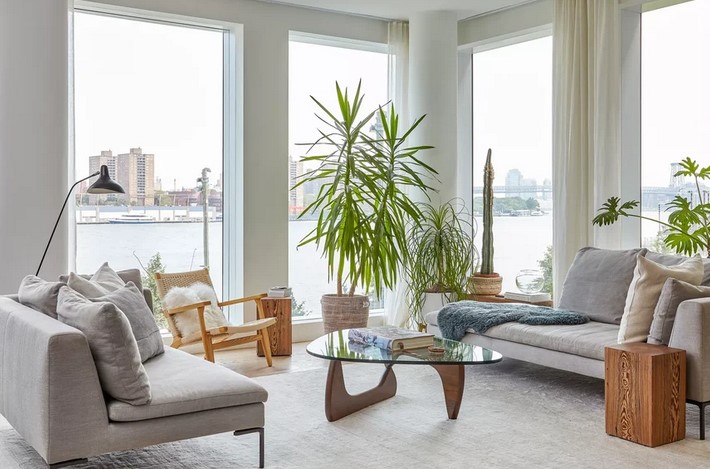
For more casual work environments or informal virtual meetings, your Zoom background setup can be a bit more relaxed. Think of creating a cozy home office with comfortable furniture or a modern, open-plan living room. However, be mindful not to make it too distracting. A simple, light-filled space with some personal touches (like a small bookshelf or a piece of artwork) can work well.
For casual meetings with close colleagues or friends, you might even have some fun with quirky backgrounds that reflect your personality—such as a favorite hobby or a scenic location.
Final Tips for the Perfect Zoom Background Setup
- Keep it Professional: Even if you’re using a virtual background, make sure it matches the tone and nature of your meetings.
- Check Your Background Before Each Meeting: Test your background in advance to ensure it looks clean, uncluttered, and professional.
- Avoid Virtual Backgrounds That Are Too Busy: While a fun virtual background can be exciting, avoid overly complex images that take away from the main focus—your conversation.
- Customize Your Space: If you’re using a real backdrop, consider adding subtle personal touches like a plant, a book, or an art piece that adds character without being distracting.
Conclusion
Creating the perfect Zoom background setup for your virtual meetings is essential for presenting yourself professionally and maintaining a productive environment. By paying attention to your backdrop—whether real or virtual—you ensure that the focus remains on the conversation and not on distractions. With the right combination of lighting, framing, and background choice, you can make your virtual meetings as professional as any in-person interaction. Whether you opt for a sleek corporate setting or a creative, personalized touch, a well-planned Zoom background will help elevate your professional presence and set the tone for successful virtual meetings.